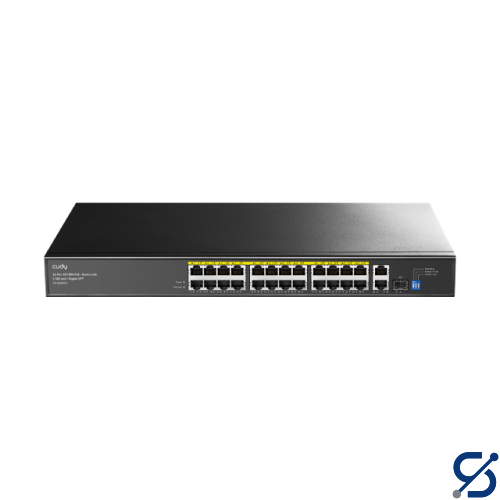
The PoE ports comply with IEEE 802.3at/af standards.
PoE Priority
Intelligent Power Management: Automatically disconnect the lastly powered device when power exceeds budget.
Shielded RJ45 Port
True
Extend Mode Ports
#17~#24
VLAN Mode Ports
#1~#24
LED
Power
Link/ACT of Each Ethernet Port
PoE Max Status
Power Input
AC Inlet
Physical Buttons
Extend On/Off
VLAN On/Off
PoE Watchdog On/Off
Watchdog Note
The PoE Watchdog will attempt to reboot the plugged-in clients that have been inactive for 5 minutes. Do not turn it on for clients with online auto-upgrade feature.
Copper Speed and Distance
Cat. 3 or higher cable: 100 meters at 10 Mbps
Cat. 5 or higher cable: 100 meters at 100 Mbps
Cat. 5e or higher cable: 100 meters at Gigabit
Cat. 5e or higher cable: 250 meters at 10 Mbps
Copper Speed and Distance Note
Gigabit speed is only available on the uplink ports. 250-meter transmission is only available on the Extend Mode ports when the Extend Mode is activated.
MAC Address Table
2048
Max Switching Capacity
10.8 Gbps
Max Forwarding Rate
8 Mpps
Jumbo Frame
2 KB
Packet Buffer
2 Mbit
Power Methods
AC
Power Input
100-240V~ 50/60Hz
Power Supply
300W
Max Power Excluding PoE
7W
Switching - 802.3 Protocols
802.3i 10BASE-T
802.3u 100BASE-TX
802.3ab 1000BASE-T
802.3z 1000BASE-X
802.3x Flow Control
802.3af PoE
802.3at PoE
Fans
1
Fan Note
Smart Cooling: The fan speed adjusts in real time based on power consumption