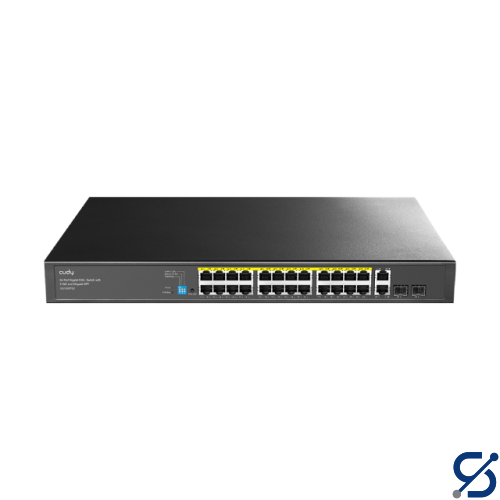
The PoE ports comply with IEEE 802.3at/af standards.
PoE Priority
Intelligent Power Management: Automatically disconnect the lastly powered device when power exceeds budget.
Shielded RJ45 Port
True
Extend Mode Ports
#17~#24
VLAN Mode Ports
#1~#24
LED
Power
PoE Status of Each PoE Port
Link/ACT of Each Ethernet Port
PoE Max Status
Power Interfaces
AC Inlet
Physical Buttons
Extend On/Off
VLAN On/Off
PoE Watchdog On/Off
PoE LED Toggle
Watchdog Note
The PoE Watchdog will attempt to reboot the plugged-in clients that have been inactive for 5 minutes. Do not turn it on for clients with online auto-upgrade feature.
Copper Speed and Distance
Cat. 3 or higher cable: 100 meters at 10 Mbps
Cat. 5 or higher cable: 100 meters at 100 Mbps
Cat. 5e or higher cable: 100 meters at Gigabit
Cat. 5e or higher cable: 250 meters at 10 Mbps
Copper Speed and Distance Note
250-meter transmission is only available on the Extend Mode ports when the Extend Mode is activated․
MAC Address Table
2048
Max Switching Capacity
56 Gbps
Max Forwarding Rate
41.664 Mpps
Jumbo Frame
15 KB
Packet Buffer
3 Mbit
Power Methods
AC
Power Input
100-240V~ 50/60Hz
Power Supply
300W
Max Power Excluding PoE
20W
Switching - 802.3 Protocols
802.3i 10BASE-T
802.3u 100BASE-TX
802.3ab 1000BASE-T
802.3z 1000BASE-X
802.3x Flow Control
802.3af PoE
802.3at PoE
PoE Management
Intelligent Power Management
Fans
1
Fan Note
Smart Cooling: The fan speed adjusts in real time based on power consumption.